Purser Desktop
How Purser worksPurser prepares, you say yes.
Short answer
Purser is an AI agent that prepares the admin of your Swedish limited company (aktiebolag) on your Mac: invoices, receipts, the bank, VAT, payroll and year-end. Purser Desktop works on a schedule with your own Claude or ChatGPT plan. Nothing is booked or sent without your yes on an Allow card, and you sign with BankID and pay in your bank yourself.

A month of work in Purser Desktop: receipts, reconciliation, an invoice, payroll, VAT and Waiting for you.
Transcript
The demo company Studio AB is made up. What Purser writes follows a script; the app, the cards and the decisions are real. The app is in Swedish.
- 0:00A new receipt waits in the receipt inbox. You start a session from Väntar på dig (Waiting for you).
- 0:06Purser makes a voucher with the receipt as its evidence. Nothing is booked until you allow it.
- 0:10Reconciling October: Purser works through the bank lines and matches them to invoices and receipts.
- 0:17The voucher sits beside the session with the receipt attached, and is booked only when you press Tillåt en gång (Allow once).
- 0:21Purser turns October's logged time into an invoice to Nordform AB. The draft sits beside the session.
- 0:27You see the invoice PDF and allow it to be issued.
- 0:31October's salary is worked out beside the session, filled in from last month.
- 0:36The payroll run waits for your Tillåt (Allow) and becomes a draft. You make the payment yourself.
- 0:42You filed the VAT for July–September. The amount is due on the tax account today, and you make the payment.
- 0:46The VAT period opens beside the session, with the steps that remain.
- 0:49Väntar på dig gathers everything Purser has prepared that needs your yes.
- 0:53You press Tillåt en gång on the proposals one at a time, and the list empties.
What happens to the receipts every Monday?
When a receipt has come in, Purser makes a voucher with the receipt as its evidence. It is booked only when you allow it.
You email receipts to your company's receipt address (Kvittoadress), where they land in the receipt inbox, or your computer fetches them from Gmail and the sites you're signed in to. If a receipt is missing, Purser asks for that one. More on the page Kvitton och bank (in Swedish).
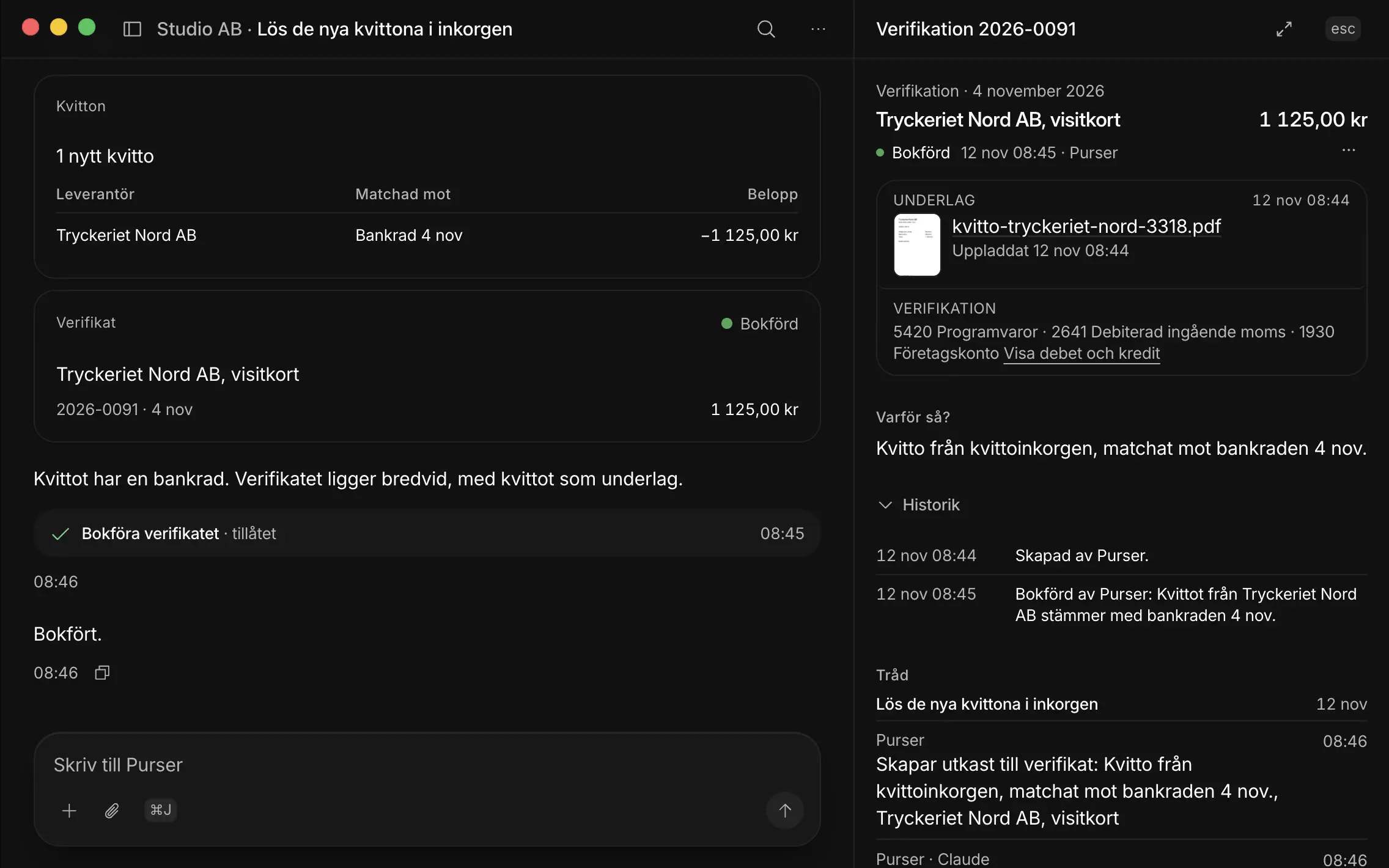
A new receipt waits in the receipt inbox. A session started from Waiting for you makes the voucher with the receipt as its evidence and books it after your Allow.
How is the bank reconciled?
Purser works through the month's bank lines and matches them to invoices and receipts. The voucher is made with the receipt as its evidence and is booked when you press Tillåt en gång (allow once).
The statement is fetched from your online bank in a browser on your computer, or you upload it as CSV or camt.053.
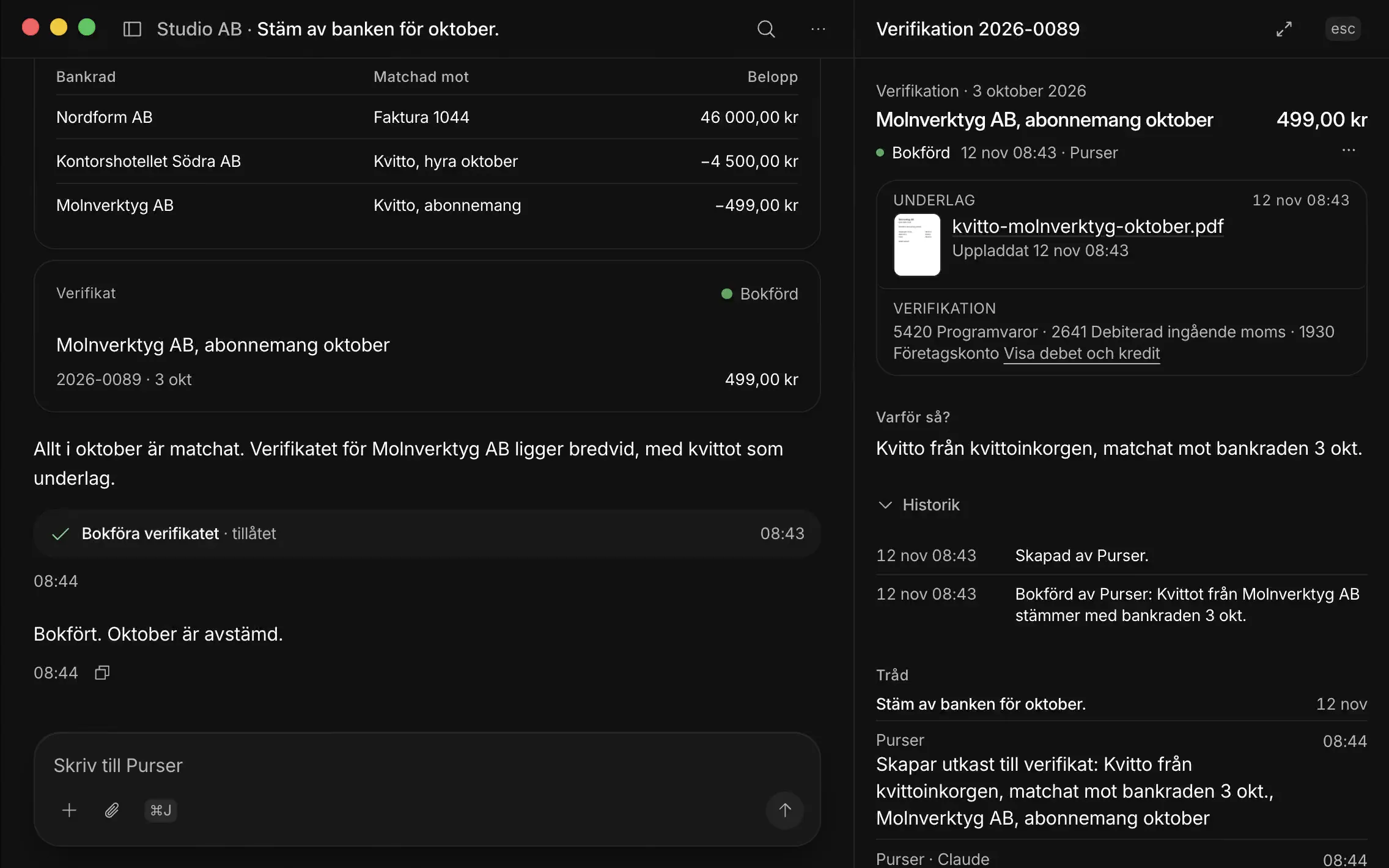
Purser works through October's bank lines, matches them to invoices and receipts, makes the voucher with the receipt as its evidence and books it after your Allow.
How does your time become an invoice?
Purser makes the invoice from your logged time or your own lines, with the right VAT and currency, and shows you the PDF. The invoice is issued when you allow it.
It is emailed only after you say yes, and the payment is matched against the bank when it arrives. More on the page Fakturering (in Swedish).
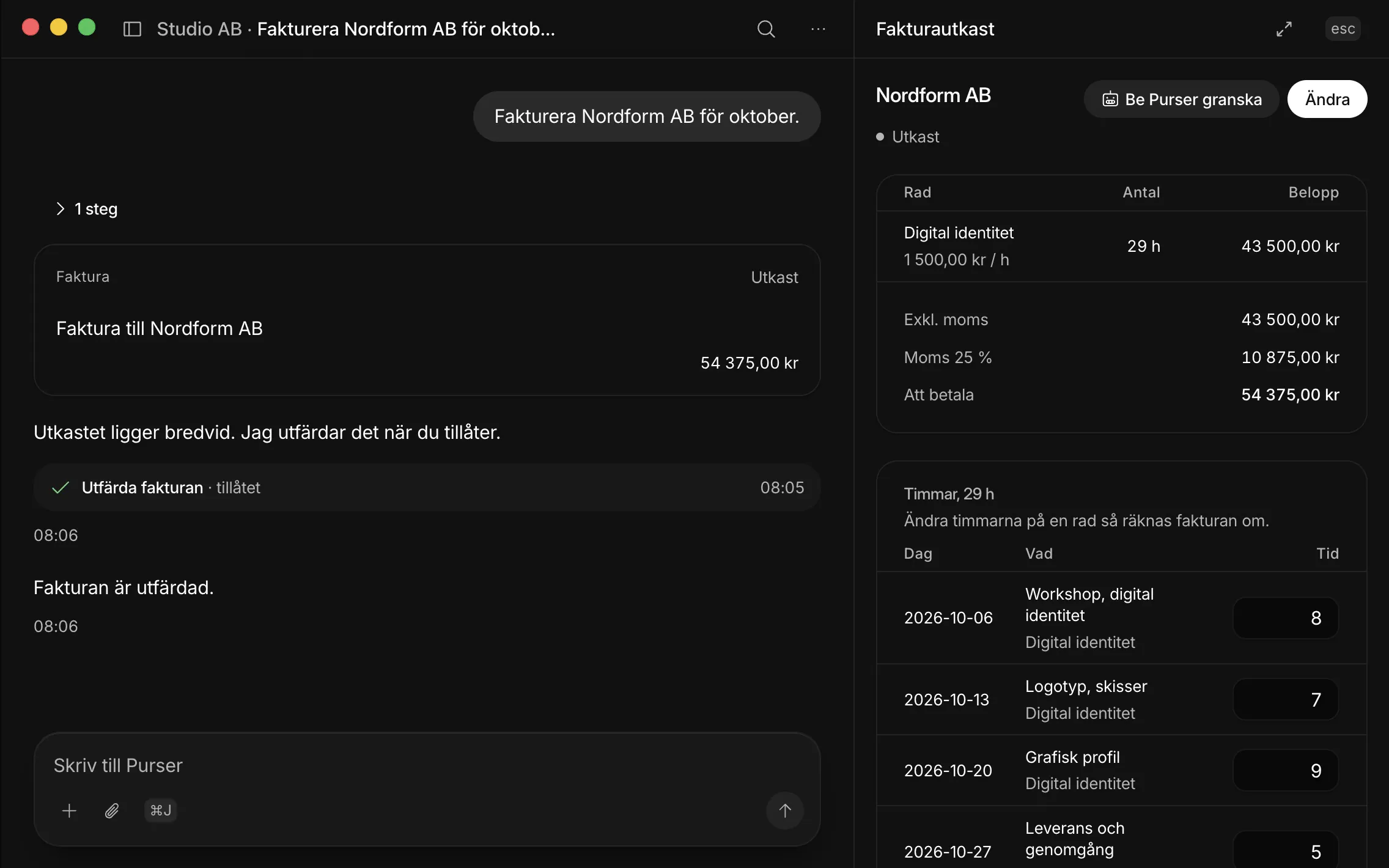
Purser turns October's logged time into an invoice to Nordform AB, shows the PDF and issues it when you allow it.
How do you pay yourself a salary?
You write that you want to take a salary, and Purser works it out with the tax deduction and employer contributions, filled in from last month. The payroll run waits for your Allow.
You make the payment yourself in your bank. More on the page Lön och AGI (in Swedish).
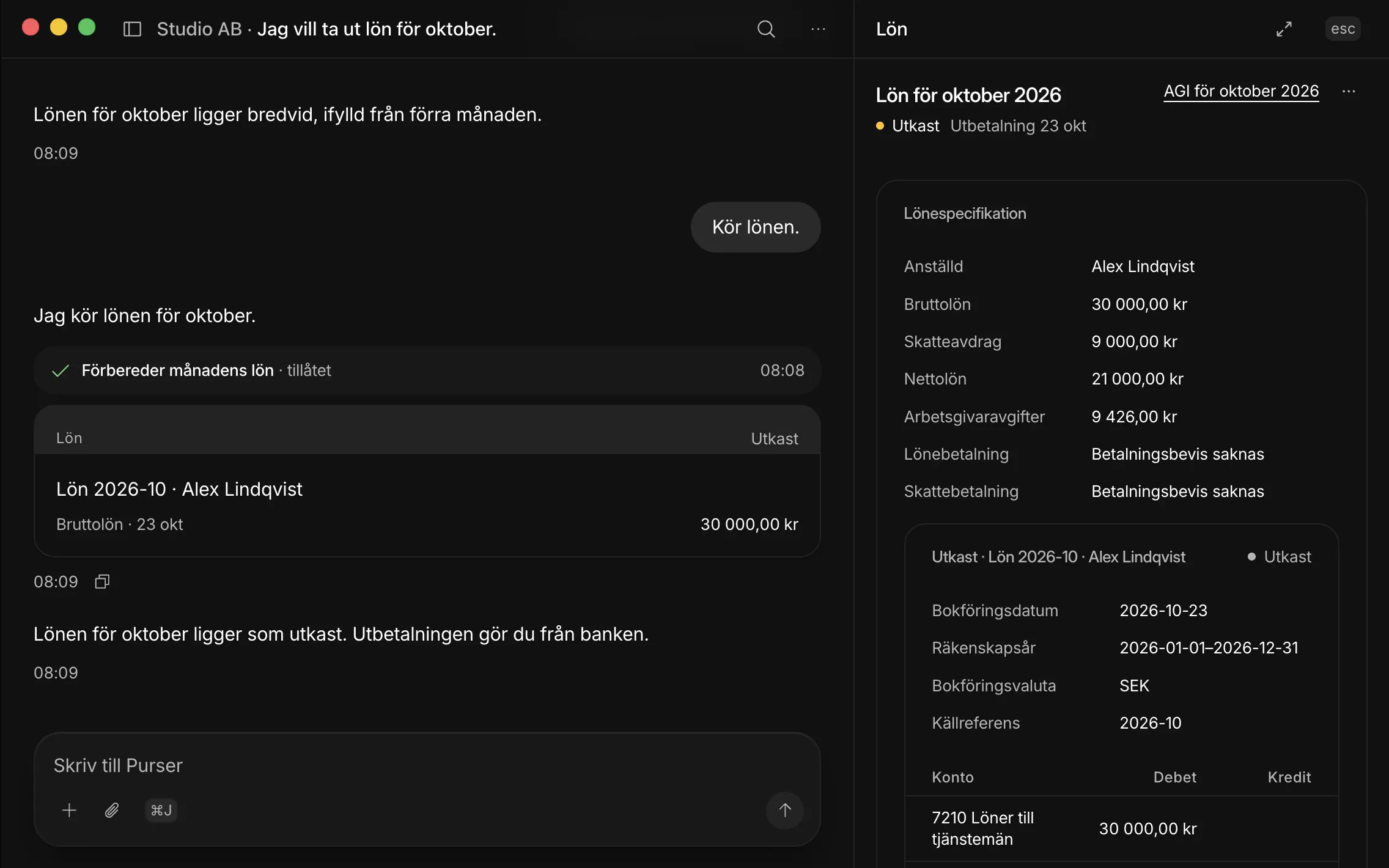
October's salary is worked out beside the session. The payroll run becomes a draft only when you allow it.
Who files VAT and the employer return?
You do. Purser draws VAT (moms) and the employer return (AGI) from the books. The signing stays in Väntar på dig (Waiting for you) until you have signed at Skatteverket, the Swedish Tax Agency, with BankID, the Swedish e-ID, and you make the payment in your bank.
The VAT card shows the last day to file or to pay. More on the page Moms (in Swedish).
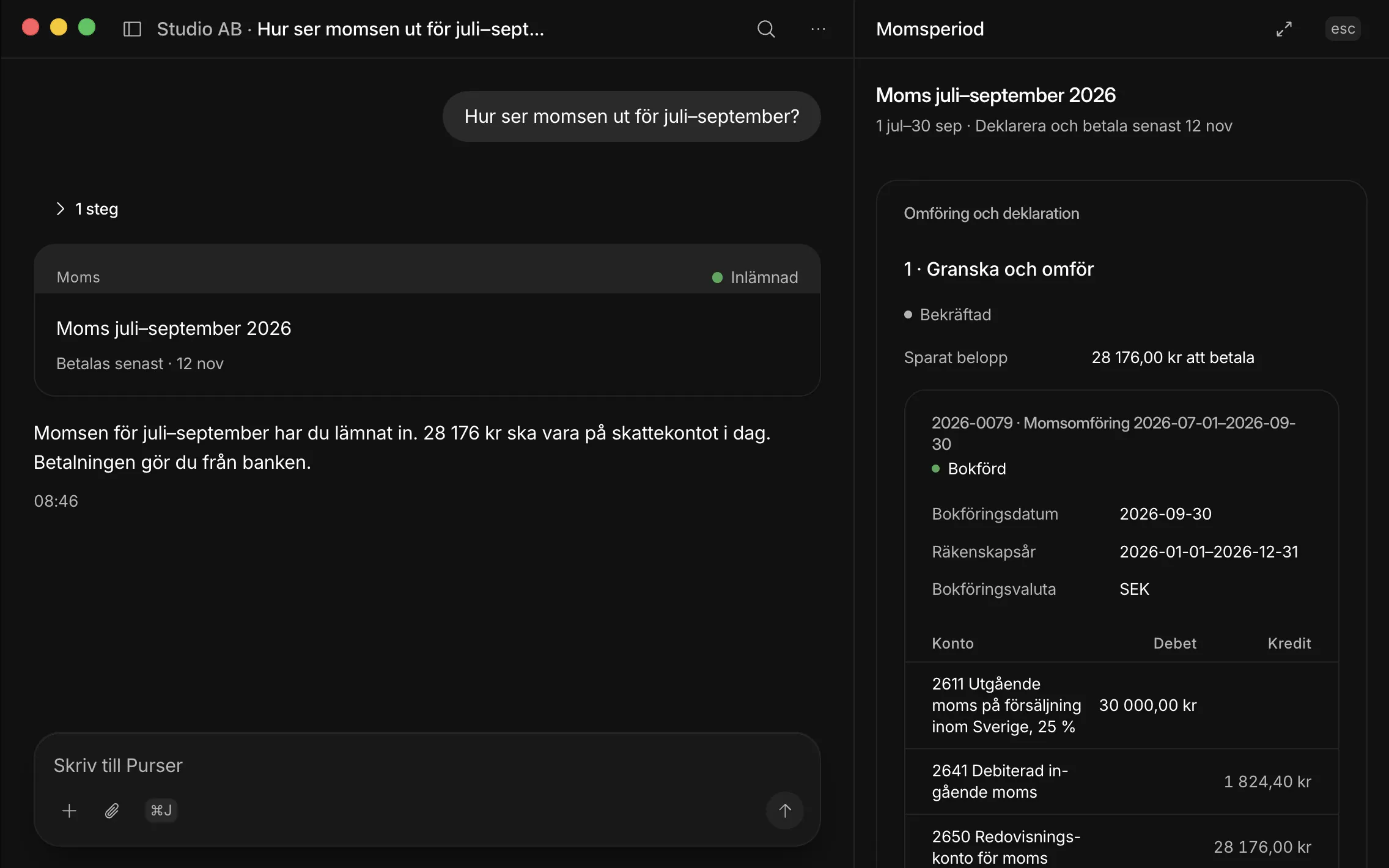
Purser reads the VAT for July–September, which you filed, and opens the period beside the session. The amount is due on the tax account; you make the payment.
How do you know something is waiting for you?
At 16:00 you get a notification if something is waiting. Väntar på dig shows every open Allow card and every step that is yours, from every session.
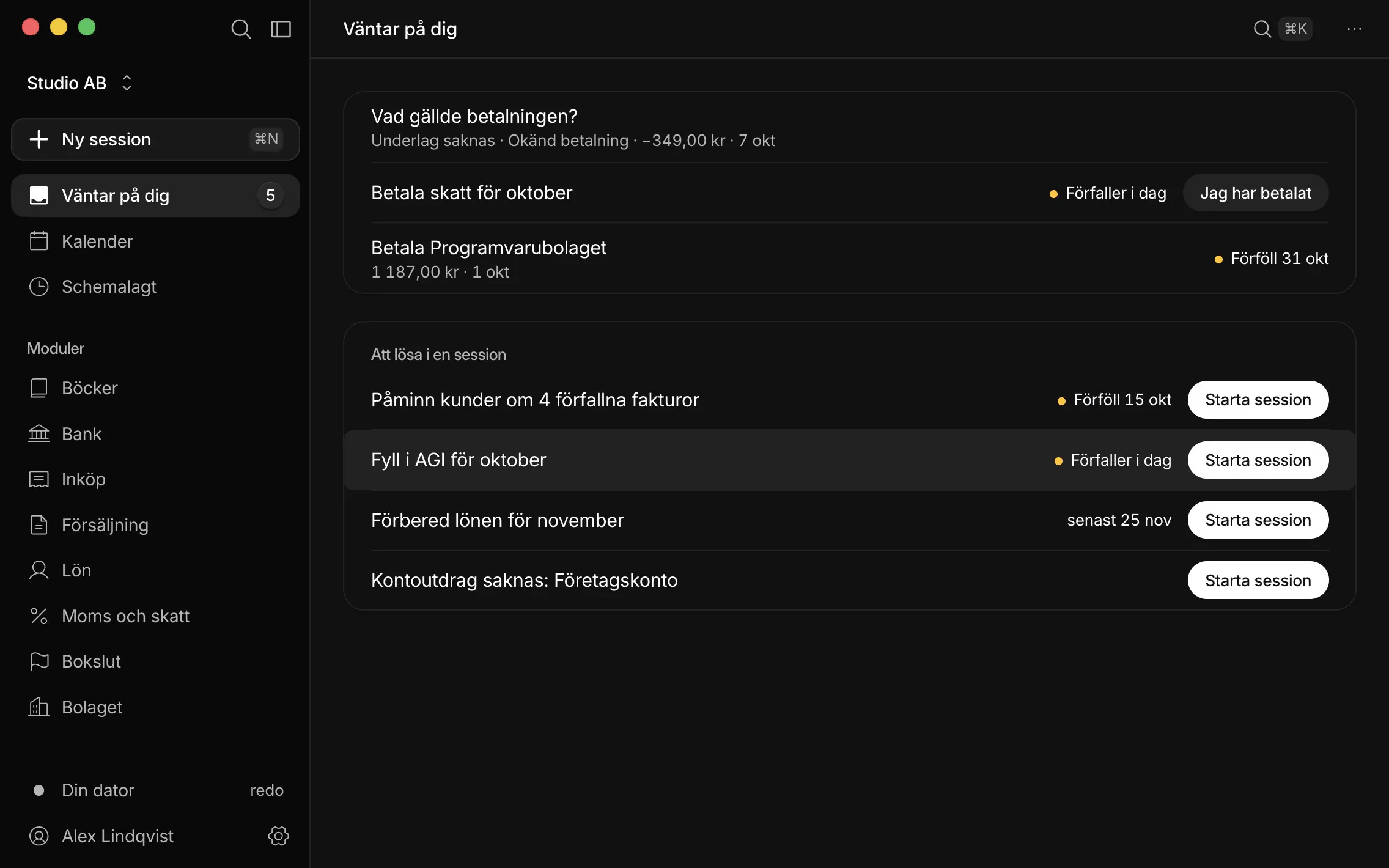
Three finished proposals from three sessions wait for your yes. You allow them one at a time.
What happens when the year is closed?
Purser closes the accounts under K2 from the same books as the rest of the year, fills in INK2 (the company tax return) and writes a draft annual report for you to review. Purser also keeps the AGM and the company's documents in order.
The app's Kalender shows the dates for AGI, VAT, KU31, INK2, the AGM and the annual report, along with your own steps and schedules. More on the page Bokslut och årsredovisning (in Swedish).
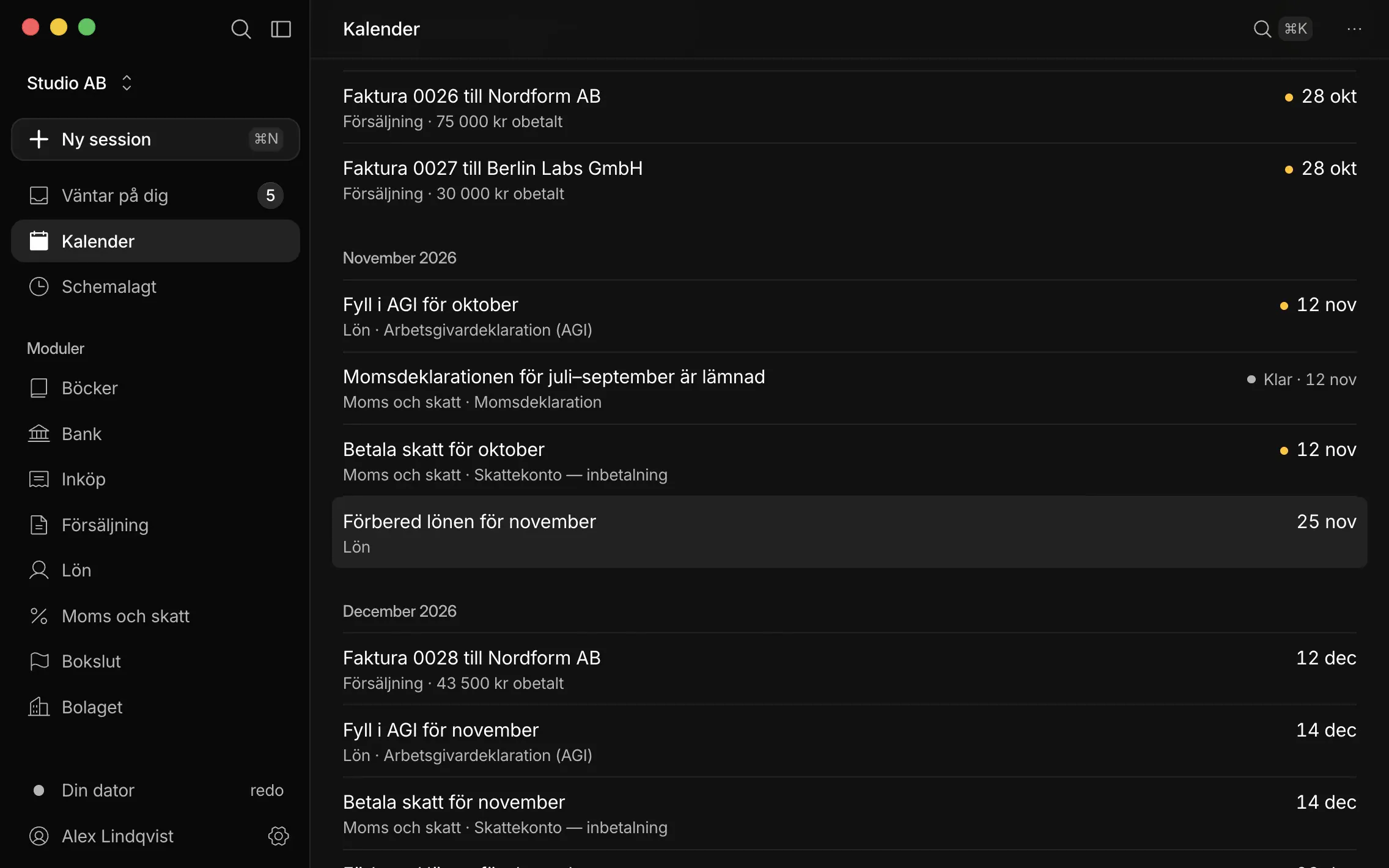
To-dos on the start screen, and the calendar with dates for invoices, AGI, VAT and tax.
What does Purser do, and what do you do?
Purser prepares. You say yes to anything that changes the books or leaves Purser, sign at Skatteverket with BankID and pay in your bank.
The work happens in a session, a conversation between you, Purser and your AI. What Purser produces opens beside the session, so you can see what is about to happen. The app is in Swedish.
| Receipts and bank | Purser links bank lines to their evidence and lays out vouchersYou email receipts and press Tillåt en gång (allow once) |
|---|---|
| Invoices | Purser writes the invoice, produces the PDF and matches the paymentYou say yes to issuing and emailing it |
| Payroll | Purser works out salary, tax deduction and employer contributionsYou allow the payroll run and pay the salary in your bank |
| VAT and AGI | Purser draws them from the books and keeps track of the datesYou sign at Skatteverket with BankID and pay in your bank |
| Year-end | Purser does the K2 accounts, INK2 and the draft annual reportYou review and sign |
| Corrections | A correction voucher; the original staysUndo reverses a booking |
What is an Allow card?
An Allow card (Tillåt in the app) is the question Purser asks before anything is booked or sent. You answer Tillåt en gång (allow once), Tillåt alltid (always allow) or Neka (deny), and Purser can't approve its own proposals.
The card shows what is about to happen. The invoice card, for example, shows the PDF and asks Tillåt or Neka. If you deny, it isn't done, and the draft stays.
How does Purser work on a schedule?
Purser Desktop runs your schedules, for example every Monday at 08:00: go through the bank and the receipts. You can also start a session yourself and write what you want done, such as “Gör veckans admin” (do this week's admin).
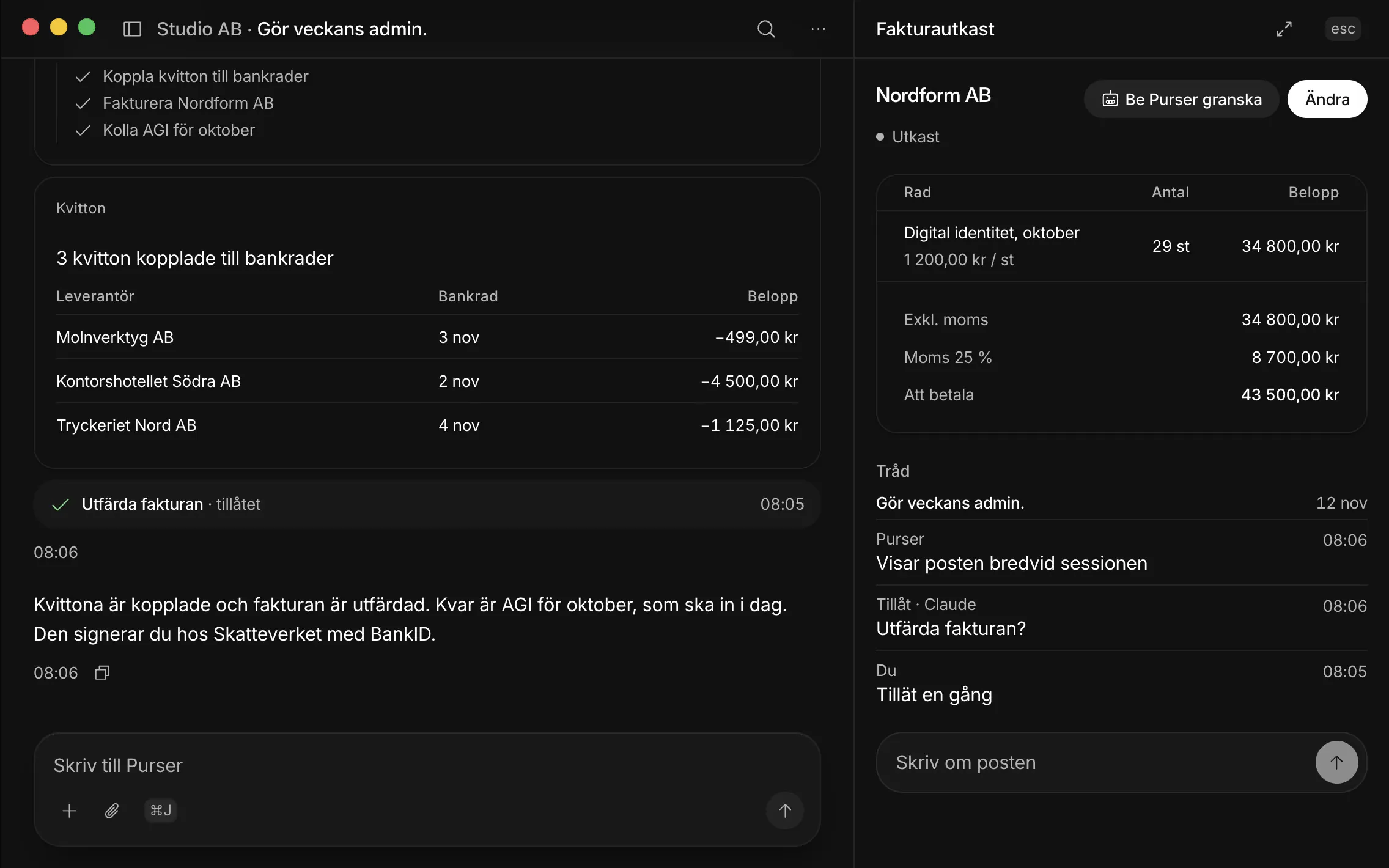
You ask Purser to do the week's admin. Receipts are linked to bank lines, an invoice is issued after your Allow, and October's AGI waits for you to sign it at Skatteverket.
Which AI does Purser use?
Your own: Claude Pro or ChatGPT Plus or higher. What you write goes from your computer straight to your AI provider, and Purser's servers never pass sessions on. What lives where is on the page Security.
What if Purser gets something wrong?
Purser books nothing without your yes and can't approve its own proposals. If something is still wrong, it's fixed with a correction voucher and the original stays. Undo reverses a booking. The chart of accounts, VAT and periods are checked by Purser, not by the AI.
What doesn't Purser do?
Purser never makes payments and never signs. Purser doesn't send quotes, handle Kivra (the Swedish digital mailbox) or do K10.
Purser is for Mac, and the app is in Swedish. What you need is on the page Get started.
Questionsabout how it works.
Can't find the answer? Email hej@purserhq.com
Does my computer have to be on for Purser to work?
Yes. Schedules run while the app is open and the Mac is awake. If a run is missed, say because the Mac was off on Monday morning, it happens the next time you start the app.
Are the films real recordings?
Yes. The films are recordings of Purser Desktop with a made-up demo company, Studio AB. The app, the cards and the decisions are real. What Purser writes in the films follows a script, and no real company data is shown.
Do I need to know bookkeeping?
You need to be able to say yes or no to a proposal. Purser lays out the voucher, the invoice or the salary with what is to be booked, and checks the chart of accounts, VAT and periods. If you're unsure, ask Purser in the session before you answer.
What does Purser cost?
0 SEK during early access. Then 199 SEK per month excl. VAT. More on the page Pricing.

Put the binder away.Join the queue for Purser Desktop.
Thanks, you're in the queue.When it's your turn, we'll email you a link to the app.
New companies get in every week · Free during early access · Notarised by Apple